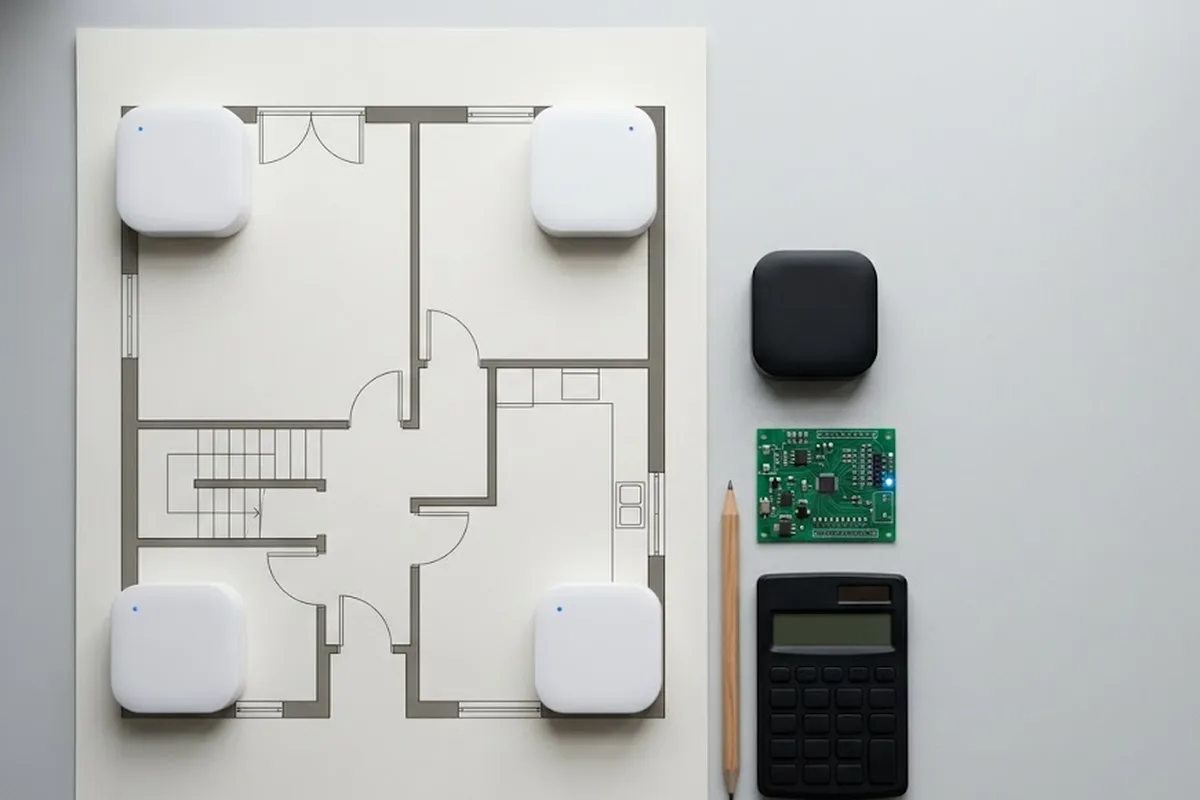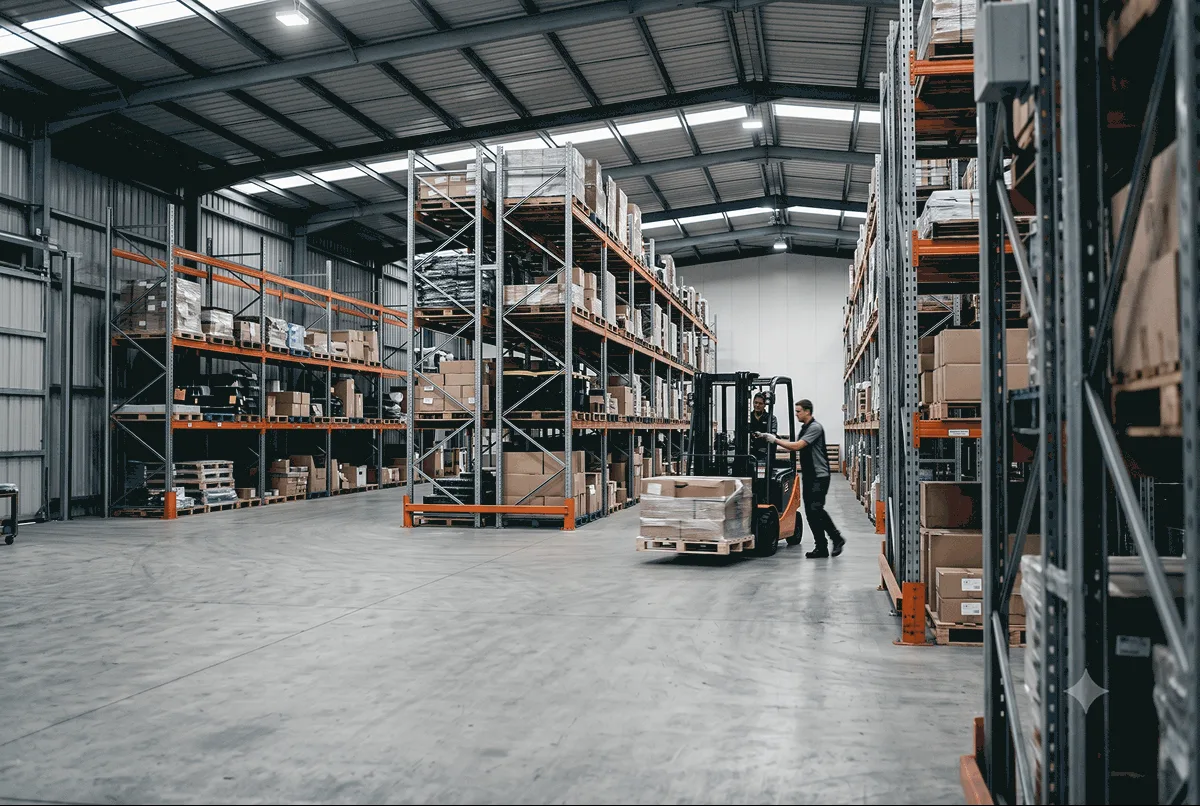
Indoors, GPS quits. Walk into a warehouse and your phone’s blue dot drifts through walls, lands two aisles over, then gives up. The signal from satellites cannot punch through a steel roof and metal racking, so anything that needs to know where it sits, down to the centimeter, hits a wall the moment it steps inside.
That gap is the whole reason UWB positioning exists.
This guide walks through what UWB indoor positioning is, how it works, how accurate it gets, and what you actually need to run it. No jargon left unexplained. If you are just starting to look into indoor positioning and want the ground floor, start here.
What is UWB indoor positioning?
UWB indoor positioning is a way to track the real-time location of people and objects inside a building to centimeter accuracy, using ultra-wideband radio.
Ultra-wideband, UWB for short, sends very short radio pulses across a wide band of frequencies. Because those pulses last such a tiny slice of time, a receiver can time their arrival with almost no error. Time the signal precisely, and you can measure distance precisely. That is the trick.
Wi-Fi and Bluetooth guess distance from signal strength, which wobbles by several meters as it fades and reflects. UWB measures distance from flight time instead, so it lands within centimeters even in a busy room.
Why does that gap matter? A few meters of error tells you which aisle a forklift sits in. Ten centimeters tells you which pallet it just picked up. One answer runs a rough map; the other runs a safety alert, a collision warning, an automated line. Precision decides what you can actually build on top.
An indoor positioning system built on UWB is one kind of RTLS, a real-time location system. An RTLS reports where a tracked object sits, live, inside a defined space. UWB is one of the sharper ways to build one, and interest in it is not niche. Grand View Research (2025) ranks real-time location as the largest and fastest-growing use of UWB. Market figures swing a lot between research firms, so treat any single number with care, but the direction holds steady: cm-level indoor positioning keeps moving from novelty toward standard kit in factories, ports, and warehouses.
How does UWB positioning work?
Two ideas do all the work: ranging first, then trilateration.
Ranging measures one distance. GrowSpace uses Two-Way Ranging, or TWR. A tag and an anchor trade a signal back and forth, the anchor clocks the round trip, and that time converts straight into a distance. One anchor gives you one distance. One radius. Nothing more.
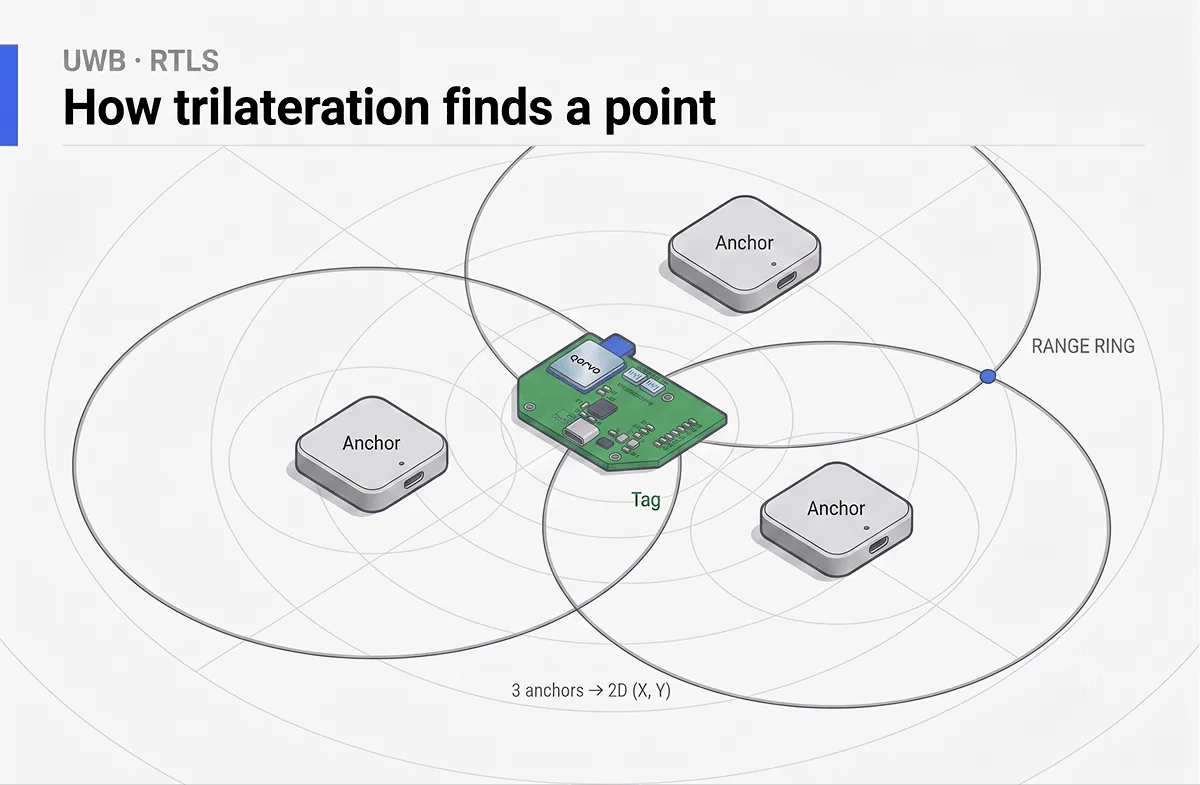
Trilateration turns those distances into a point. Picture three anchors bolted to the walls of a room, each one knowing how far the tag sits from it. Draw a circle around each anchor, with a radius equal to that distance. Three circles. They overlap at exactly one spot, and that spot is the tag.
That is the entire principle. Distances become circles, circles cross, the crossing is the position.
How many anchors you need depends on what you want to know:
- Distance only: 1 anchor
- 2D position (X, Y): 3 or more anchors
- 3D position (X, Y, Z): 4 or more anchors
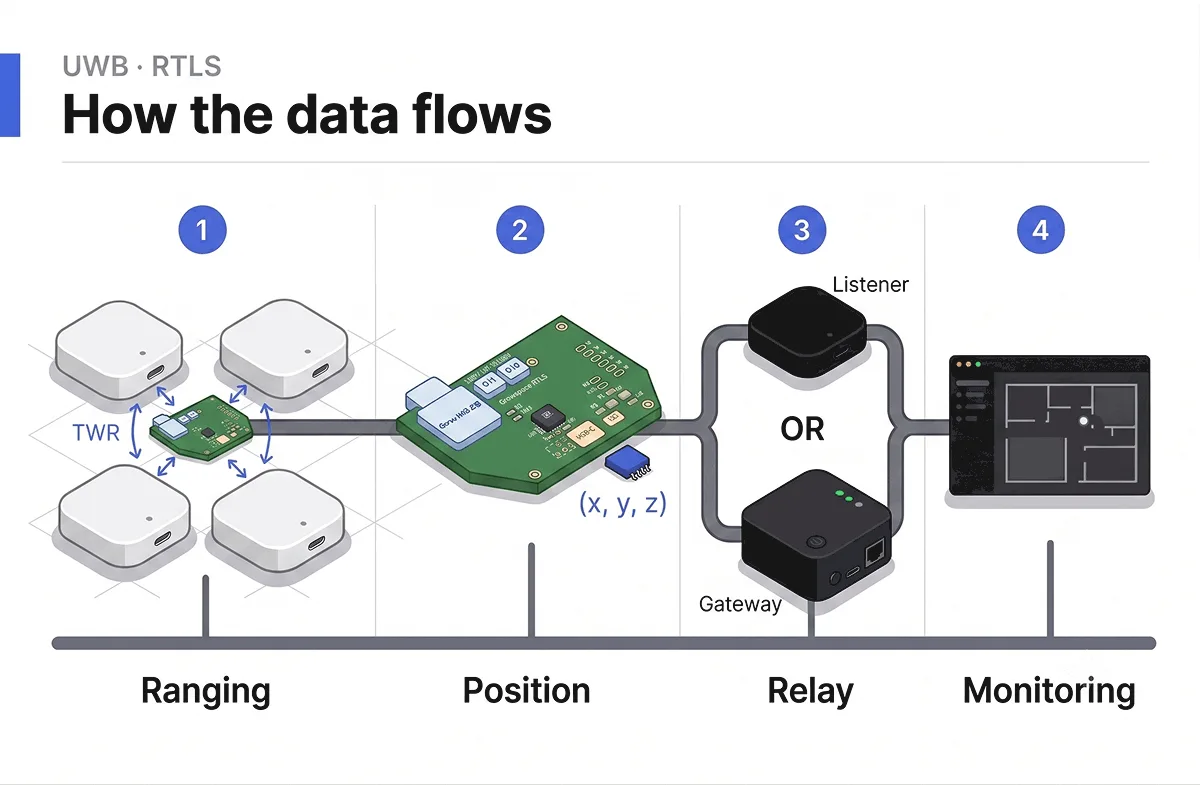
Then the data has to travel somewhere useful. The flow runs like this: the tag talks to the anchors, the anchors hand off to a listener or a gateway, that device feeds a server, and the server feeds the monitoring software where a person finally watches a dot move across a floor plan. A listener passes the data straight to a PC over serial. A gateway pushes it out over MQTT to a server or the cloud.
How accurate is UWB indoor positioning?
Ten to thirty centimeters. That is the working range for UWB indoor positioning in a real building, and it holds where other methods fall apart.
Numbers on a spec sheet come easy. A factory floor does not. Signals bounce off steel racking and car bodies, arrive late and confused, and a naive setup smears the reported position by three to five meters. Anyone who has run UWB on a live site has watched clean desk numbers collapse the second they meet metal.
This is where GrowSpace’s own results come in. At a metal-dense automotive-logistics site packed with thousands of new vehicles, GrowSpace measured 23.05 cm accuracy in the field. One number worth reading slowly: that 23.05 cm came from a field setup that fuses UWB with RTK-GPS, with GrowSpace’s own reflection-filtering algorithm cutting through the metal, not from a starter kit on its own. The Creator Kit alone targets under 30 cm. Same core engine, different scale. A pilot you begin on a desk runs on the same technology that later holds up in a metal-dense yard.

GrowSpace has validated this across more than 40 real industrial sites.
Why doesn’t GPS work indoors?
GPS needs a clear line to satellites orbiting thousands of kilometers overhead. A roof breaks that line.
Concrete, steel, and glass scatter and swallow the weak satellite signal before it reaches your receiver. What little slips through has already bounced off surfaces, so the fix drifts by tens of meters, if it locks at all. Outdoors, that works fine. Indoors, it falls flat.
UWB flips the geometry. Instead of far-off satellites, it uses anchors you place inside the room, a few meters from the tag. Short range, strong signal, precise timing. That is why indoor work belongs to UWB and outdoor work belongs to GPS. For a roofed-but-open space, say a loading canopy or a covered yard, UWB still applies.
Here is how UWB stacks up against the two other tools people reach for indoors:
| UWB | Camera / CCTV | BLE / Beacon | |
|---|---|---|---|
| Accuracy | 10 to 30 cm, true distance | 2D pixel guess, large depth error | 3 to 5 m, zone level only |
| Tough environments | Radio based, reads through dust and around obstacles | Struggles with occlusion, dust, low light | Metal and concrete distort the signal |
| Setup | Anchors placed once, you type coordinates in by hand | Camera infrastructure, angle and lens upkeep | Constant re-tuning and position correction |
A camera sees a flat image and infers depth, so its distance error runs high. BLE tells you the rough zone, not the spot. UWB hands you an actual coordinate.
A full side-by-side of UWB vs BLE vs GPS is coming in a later post. This guide keeps to the basics.
What do I need to set up UWB positioning?
Less than people expect. A first working setup needs three parts.
Anchors come first. At least three for a 2D position, four or more if you want height. These are your fixed reference points, mounted to walls or a ceiling. With GrowSpace’s Creator Kit you type each anchor’s coordinates in by hand, in millimeters, so the system knows exactly where its reference points sit.
Next, a tag. This is the small unit that rides on whatever you track: a person, a forklift, a pallet, a robot. It ranges against the anchors so the system can place it.
Last, a listener or a gateway. A listener plugs into a PC over USB and streams coordinates over serial, with no server in the loop, which makes it the fastest way to test on a desk. A gateway instead publishes the data over MQTT to a server or the cloud, which is the route for a larger, centralized deployment. You connect over serial (UART) or by subscribing to the MQTT feed. No special toolkit stands in the way. Any language that can read a serial port or subscribe to MQTT can pull the stream, so Python, C, or whatever you already write in will do.
One small thing trips people up: mount anchors a little off the wall, not flush against it. GrowSpace ships a bracket that holds the anchor about 10 cm clear, because a signal reflecting straight off the wall behind an anchor drags accuracy down. Skip the bracket and your clean numbers turn muddy. Use it.
On the software side, GrowSpace’s own monitoring software takes that raw stream and turns it into something a person can read: live tracking on a floor plan, replay of past movement, heatmaps of where things linger, and geofences that alert you when a tag enters, leaves, or overstays a zone.
Where is UWB indoor positioning used?
Anywhere the question “where is it, right now?” costs money or safety to get wrong. A few common homes for it:
- Smart factories: worker and forklift movement, parts flowing down a line
- Warehouses and logistics: asset location, collision avoidance, route analysis
- Hospitals: staff movement, response times, finding mobile equipment
- Construction: safety zones, access logs, alerts when someone enters a danger area
- Research and teaching: positioning studies, prototype and firmware work, hands-on lab kit
One rule holds across all of them. The thing you measure always carries a tag. UWB positioning tracks tagged objects. It does not read a bare phone or spot an untagged person walking past. If it moves and it matters, you tag it.
FAQ and quick glossary
- Anchor. A fixed reference point at a known spot on a wall or ceiling. The tag measures its distance to each one.
- Tag. The small unit riding on the tracked object. It ranges against the anchors so the system can place it.
- TWR (Two-Way Ranging). A signal runs from tag to anchor and back; the round-trip time gives the distance between them.
- Trilateration. The step that turns three or more anchor distances into a single position, where the circles around each anchor overlap.
- LoS (Line of Sight). A clear straight path between two radios, with nothing solid in between. UWB does best with LoS, though it tolerates some blockage.
- Geofence. A virtual boundary drawn on the map. A tag crosses it, and the system fires an alert.
- How many anchors do I need? Three for 2D, four for 3D. More anchors cover more floor.
- Does UWB work through walls? It reads through dust and around some obstacles far better than a camera, but thick metal and concrete still cut into accuracy. Line of sight always helps.
- Can it track a phone with no tag? No. The object has to carry a tag.
- Does it work outdoors too? Outdoors, GPS or GPS-RTK does the job. UWB covers the indoor and roofed-but-open spaces where satellites go quiet. On some sites the two run together, one handing off to the other.
Where to start
You do not need a full site to try this. Stand three anchors on a desk, type in their coordinates, plug the listener into a PC, and watch coordinates arrive the same day. Scale comes later, and it comes on the same engine.
Want to build it yourself from parts first? Read our walk-through: [UWB Positioning with Arduino](https://grow-space.io/en/blog/uwb-arduino-positioning/).
When you are ready for hardware that starts on a desk and grows into a real deployment, the GrowSpace Creator Kit is the place to begin: https://grow-space.io/en/product/creator-kit-q1-en/
Step-by-step setup lives in the .

PLANNING A DEPLOYMENT?
Which setup fits your site?
GrowSpace designs real-time location tracking (RTLS) around the conditions of your factory, warehouse or construction site — installation, integration with existing systems and ongoing operation handled by one team.