Introduction
To use the GrowSpace UWB (Ultra-Wideband) indoor positioning solution smoothly, you must install the CP210x VCP driver. This guide provides a step-by-step process for downloading and installing the driver.
What is a USB to UART Driver?
The GrowSpace UWB system communicates via Serial Communication.
However, modern PCs do not have a direct serial port (RS-232), so a USB to UART (Universal Asynchronous Receiver-Transmitter) conversion module is required to convert the USB port into a virtual COM port.
What is the CP210x VCP Driver?
The CP210x VCP (USB to UART Virtual COM Port) driver enables this conversion and is a critical program for seamless data transmission between the UWB device and the PC.
💡 If your UWB anchor is not recognized in the serial port (COM Port), follow this guide to install the driver.
Downloading and Installing the USB to UART Driver
Visit the Silicon Labs Official Website
Click the link below to visit the Silicon Labs USB to UART driver download page.
🔗 USB to UART Driver Download Page

Download the Driver for Windows
Find and click on the "CP210x VCP Windows" option on the website.

- Windows 10 and 11 users should download the latest version.
- If the download does not start automatically, manually select and download the
.exefile.
How to Install the Driver
- Run the downloaded
CP210xVCPInstaller_x64.exe (64-bit)orCP210xVCPInstaller_x86.exe (32-bit)file.

- The Installation Wizard will appear. Click “Next” to proceed.
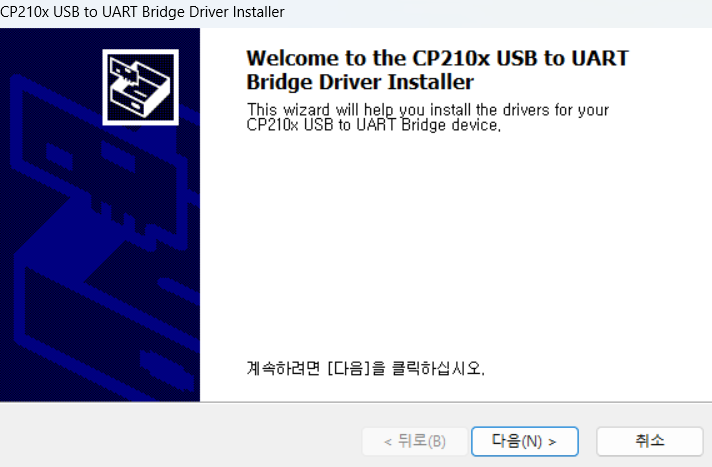
- Click the
"Next"button to proceed with the installation.
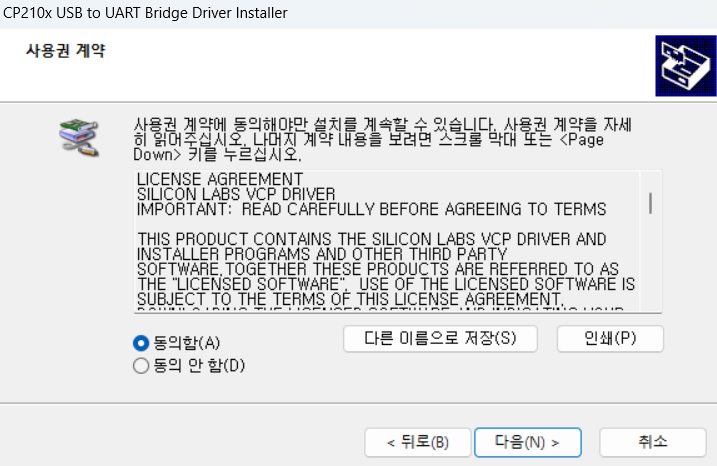
- Once installation is complete, click the “Finish” button to finalize the process.
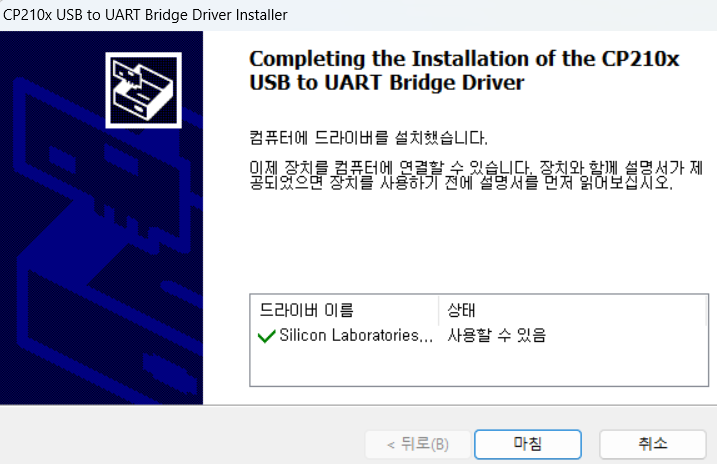
After installation, check if the COM port is recognized in Windows Device Manager.
3. Checking Driver Installation
How to Verify in Device Manager
- Press
Win + Xand select"Device Manager". - Expand the
"Ports (COM & LPT)"section. - Check if
"Silicon Labs CP210x USB to UART Bridge (COMx)"is displayed.
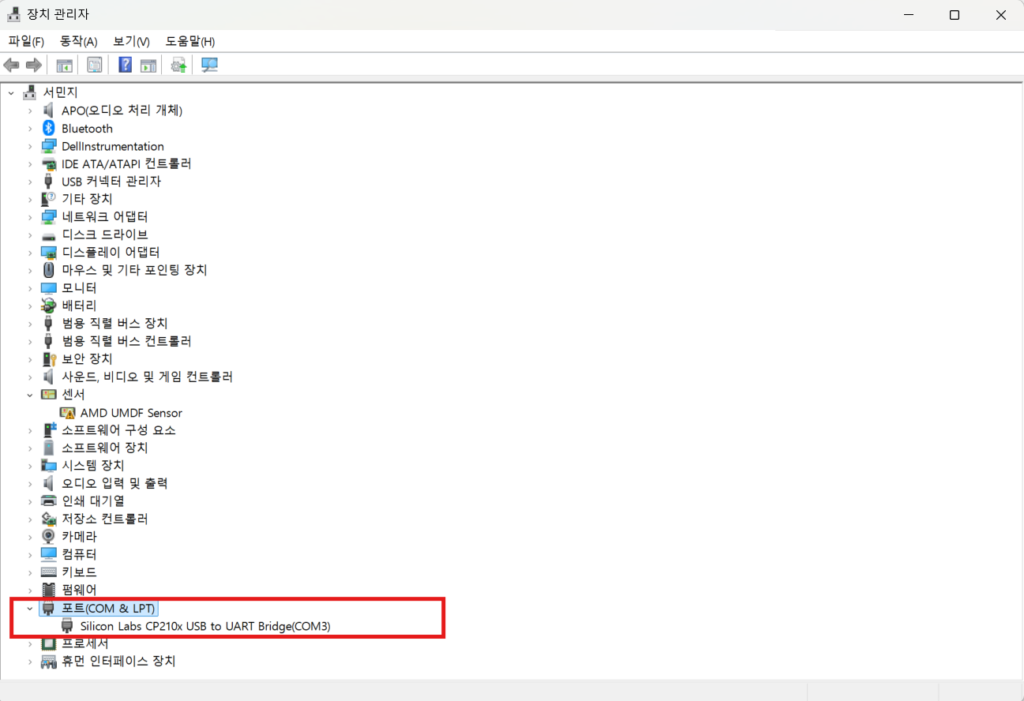
If it appears correctly, the driver installation is complete!
WANT TO TEST IT YOURSELF?
Start with a kit, scale to your site
Build a working indoor positioning setup with the GrowSpace UWB development kit, then move to a full site deployment with the same team.
Related reading