
In This Article
This guide explains how to connect a GrowSpace Gateway using Tera Term to view serial logs and send commands.
It covers what Tera Term is, how to install it, driver setup, and how to connect to your device, step by step.
What Is Tera Term?
Tera Term is a terminal emulator that connects your PC to a device over serial communication, letting you view logs and send commands directly.
With Tera Term, you can check the following information directly from a GrowSpace Gateway:
- MQTT broker connection status
- Network configuration and error logs
- Default device settings
- Real-time debug messages
Because it requires no separate development environment, it’s a convenient tool for both developers and operators who need to quickly check a device’s status.
Installation and Setup
Install the Program
- Go to the following address:
https://github.com/TeraTermProject/teraterm/releases
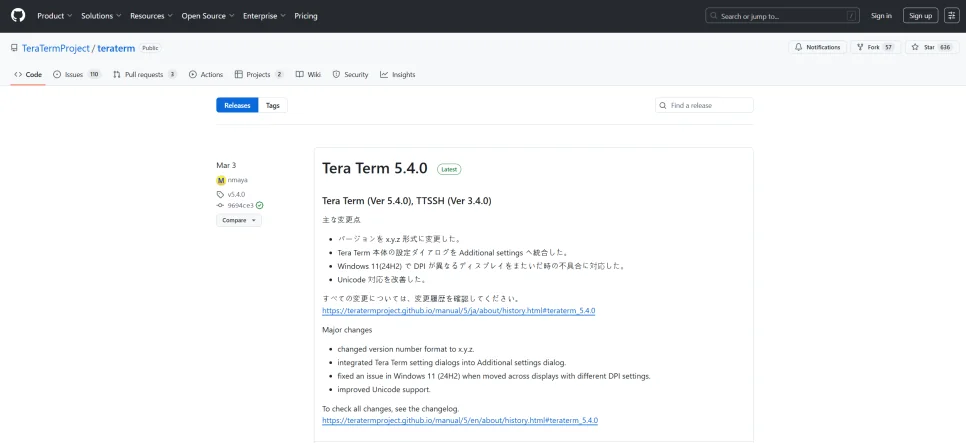
- Download the latest
.exeinstaller. - Once installed, connect the Gateway to your PC with a USB-C cable.
Confirm the Port Connection
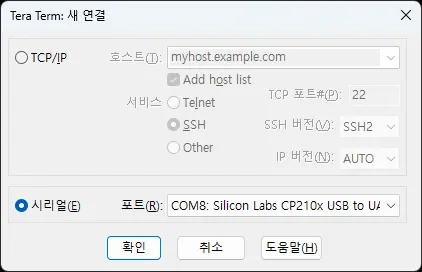
- Launch Tera Term
- On the startup screen, select the Serial tab
- If a port starting with
COMappears, the device has been recognized correctly - Select that port and click OK
Serial Port Settings
Open [Setup → Serial Port] from the top menu and enter the following values:
| Setting | Value |
|---|---|
| Baud rate | 115200 |
| Data bits | 8 bit |
| Parity | none |
| Stop bits | 1 bit |
| Flow control | none |
Terminal Line-Ending Settings
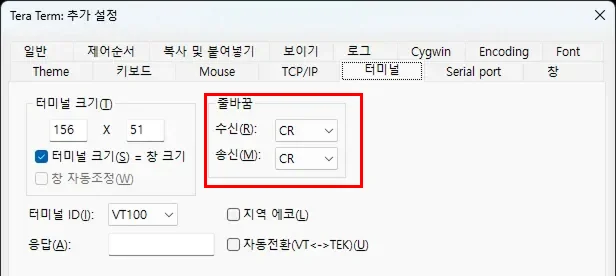
Open [Setup → Terminal] and set the new-line settings as follows:
| Setting | Value |
|---|---|
| Receive | CR |
| Transmit | CR |
Copy and Paste Settings
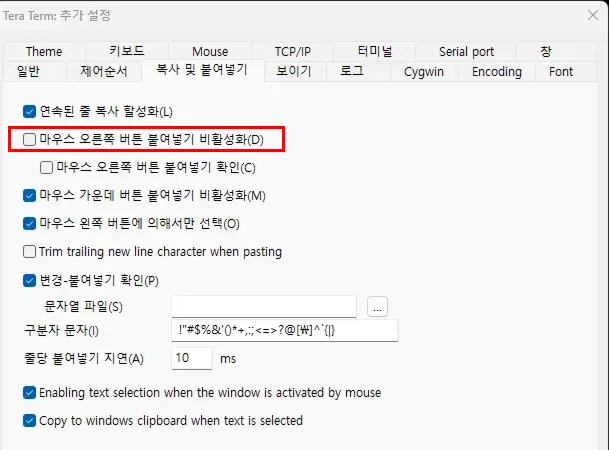
- Open [Setup → Copy and Paste]
- Make sure the “Disable right-click paste” option is unchecked
→ If this option is checked, pasting will not work.
How to Enter Commands
- Copy a command, then right-click on the terminal window to paste it
- Press Enter to execute the command
- Since typed text isn’t always echoed visibly, be careful of typos when typing commands directly
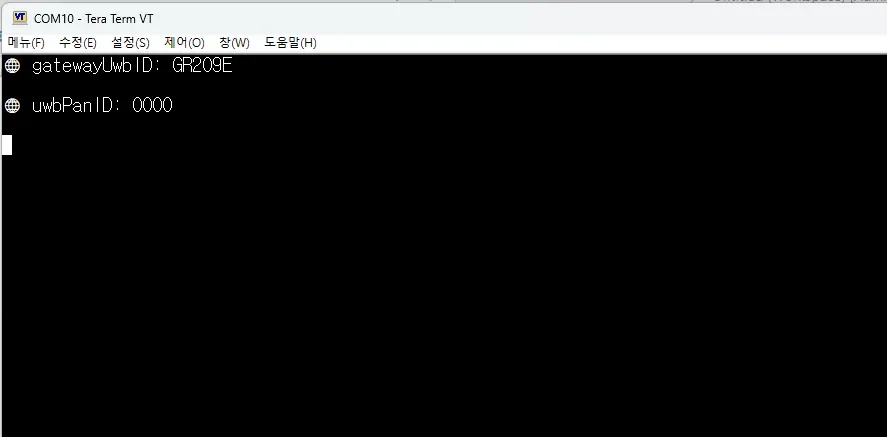
Save Your Settings
Click [Setup → Save setup…] to save these settings to a TERATERM.INI file so you don’t need to re-enter them next time.