
In This Document
This document explains anchor installation structures and placement strategies for improving the accuracy of Z-axis (height) coordinates in indoor spaces, using the GrowSpace Q1 kit.
In environments where the Z-axis matters, a simple XY-plane-only installation is not enough to achieve accurate three-dimensional positioning — a three-dimensional installation structure is required.
3D Position Output from the GrowSpace Q1 Kit
With the GrowSpace Q1 kit, you can check the following 3D position data in real time via the developer tag or listener device.
Example: Serial Communication Output
X: 12.34, Y: 56.78, Z: 9.01
Or, on a listener device, the X, Y, Z coordinates are output in the POS message format.
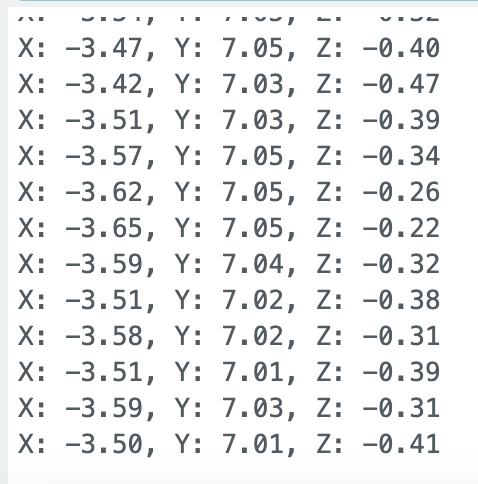
This lets you track not only the XY-plane position, but also a person’s or piece of equipment’s height (floor, level) information in real time.
Installation Structures That Affect Z-Axis Accuracy
The GrowSpace Q1 calculates tag position through TWR (Time of Flight)-based distance measurement.
However, if all anchors are installed at the same height (e.g., the ceiling), the following problems arise in the Z-axis calculation.
Problem Scenario
- Even if the tag is 1m above or below the ceiling, its distance to the anchors is measured as nearly identical< /li>
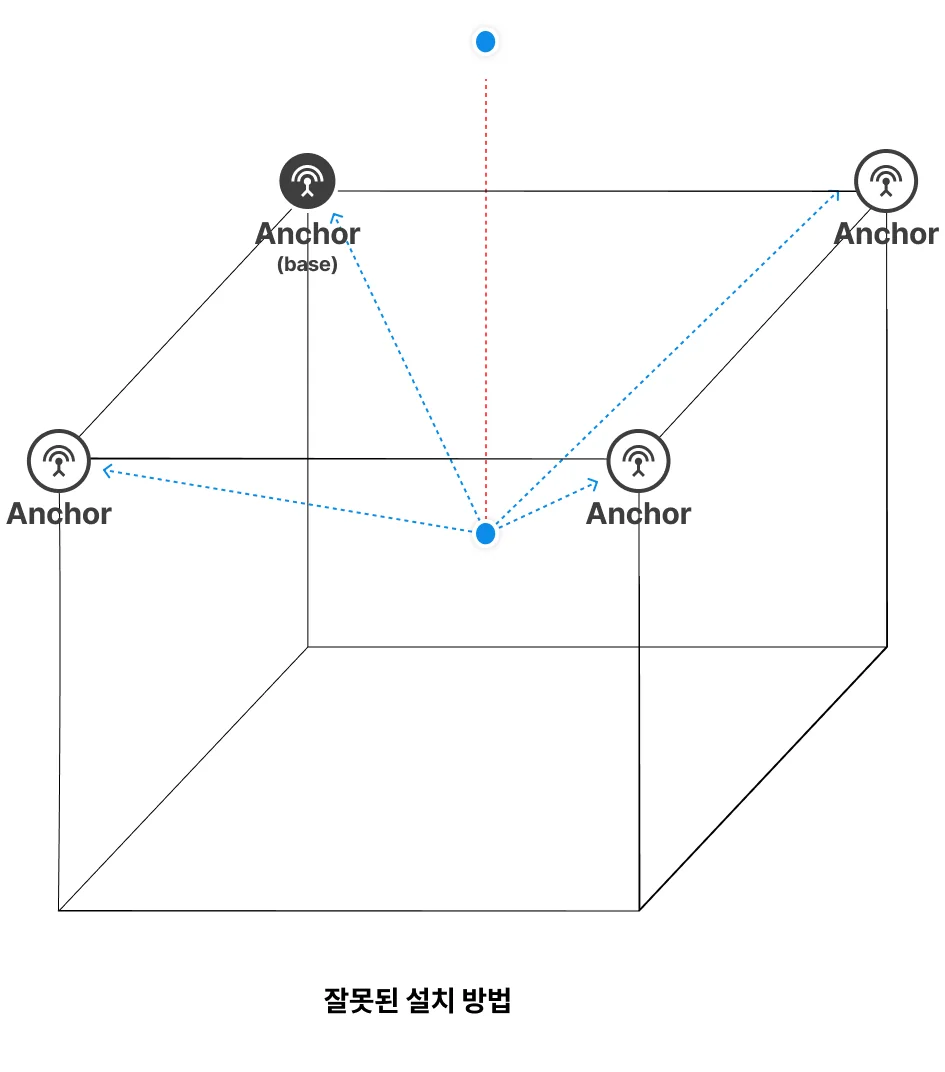
→ As a result, the Z-axis coordinate may be fixed at 0 or lose significant accuracy.
Installation Structures for Improving Z-Axis Accuracy
To distinguish changes along the Z-axis, you must install anchors at different heights.
Recommended Layout
- Cross-place 2 ceiling anchors + 2 floor anchors
- Or distribute anchors across various heights, such as pillars and walls
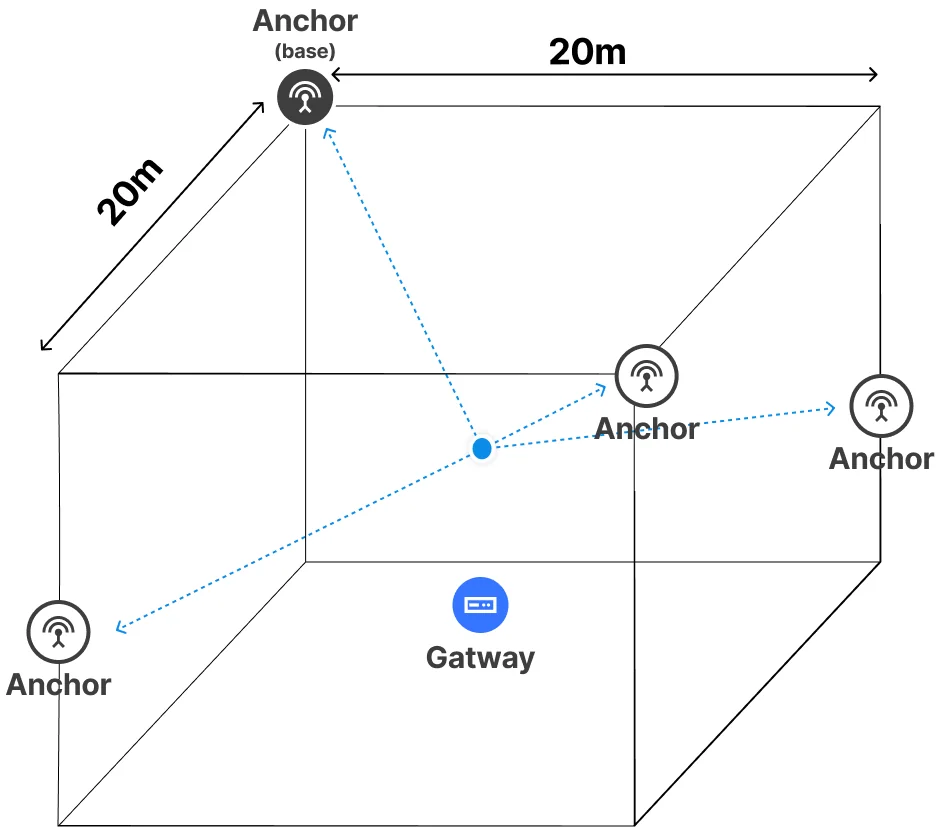
This kind of structure creates a distance difference to each anchor depending on the tag’s height, effectively reducing Z-axis error in the position calculation.
Installation Tips for Medium-to-Large Spaces (40m × 20m or More)
In large spaces, a simple installation using only the four corners may not provide enough accuracy.
Recommended Layout Strategy
| Item | Description |
|---|---|
| Basic installation | Install 4 anchors at the four corners |
| Supplementary placement | Add 2–3 more anchors at the center of the space or midpoints of walls |
| Height configuration | Distribute installation across various levels — ceiling, pillars, floor, etc. |
| Distance spacing | Keep the distance between anchors at 15–20m or less |
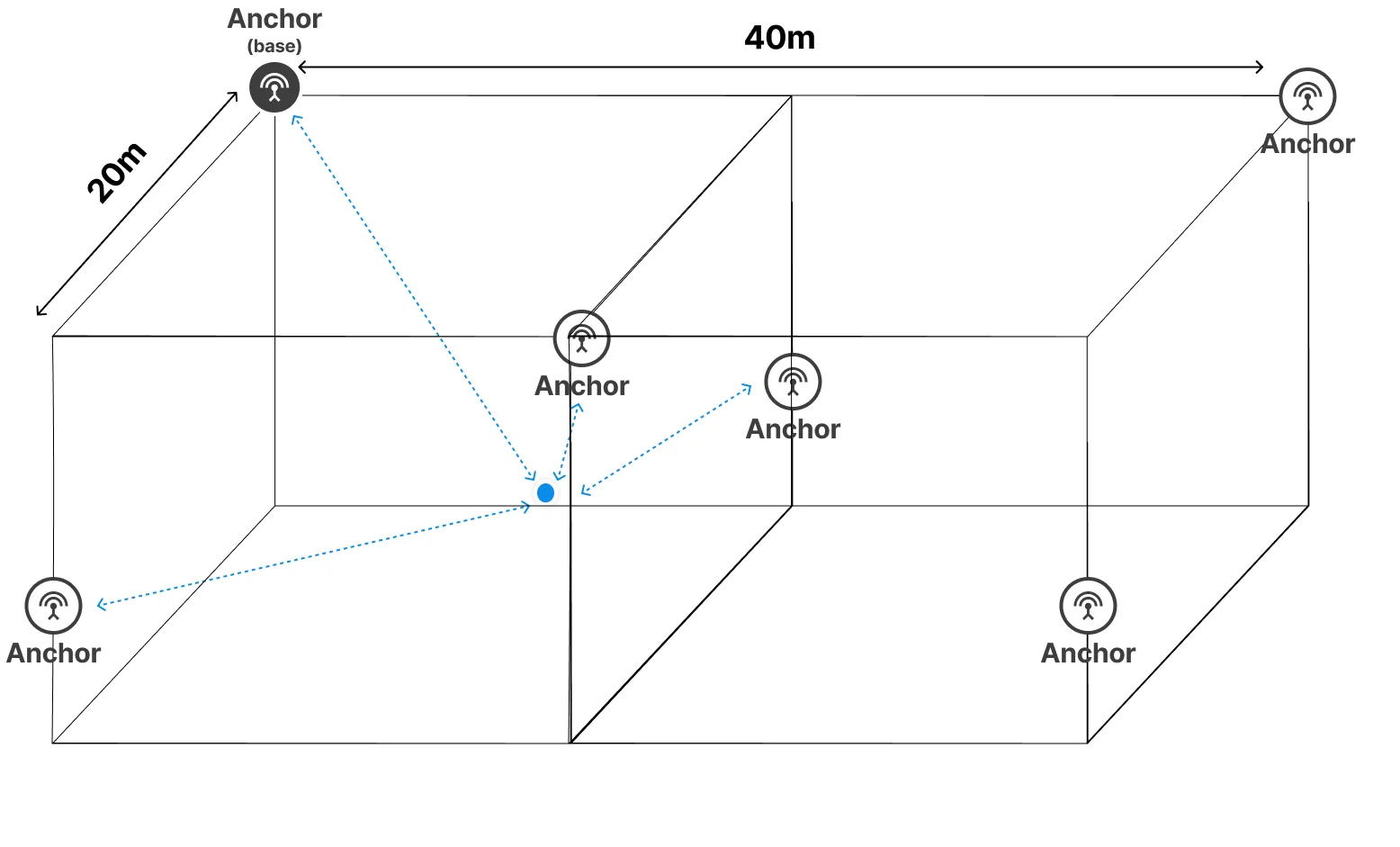
Installing this way ensures an even spread of distance differences to the tag, improving not only Z-axis accuracy but overall 3D positioning accuracy.
Wrap-Up
The GrowSpace Q1 kit provides 3D position measurement by default, but a three-dimensional anchor installation structure is essential to measure the Z-axis precisely.
- If all anchors are installed at the same height, Z-axis error can increase
- Placing anchors at different heights can minimize Z-coordinate error
- For medium-to-large spaces, also consider adding supplementary anchors and maintaining balanced distances
If your environment requires accurate 3D position tracking, be sure to apply a three-dimensional installation strategy rather than a simple flat one.